Office tips home | VBA Section | General Section | Downloads | Licensing | Privacy Policy
|
|
What can Animation Carbon do?
Announcement : Animation Carbon 2.0 will be released shortly. 2.0 will be a free upgrade for all version 1.x users. Beta testing in progress. |

   
|
Animation Carbon:: Overview How many times have you wished that there was tool which would simply copy animations from one shape to another shape? Here is the answer to your wishes. The single most time consuming aspect, while designing, is creating animations. It is frustrating that PowerPoint can't transfer animations. That's where Animation Carbon steps in. Animation Carbon can transfer animation from any shape on the slide to another shape or from one of animation libraries you create. Not only that, you can copy animations from a shape and store it for reuse in an animation library. Animation Carbon can transfer animations from one shape to multiple shapes with a single click on a button. Simply select the shapes on the slide and then select the shape from which you wish to copy the animations and click 'Apply'. The animations while to copied onto all the shapes that were selected. What's more? Not only can you transfer the animations from one shape to another, you can also group a series of animations applied to a shape and give it a caption. This will be stored in your 'animation library' for later use. You can create as many libraries as you wish, however you can load only one library at a time. The groups can be categorized. Try the 15 day trial version of Animation Carbon for PowerPoint 2002/2003
|
|
|
|
| Copying animation
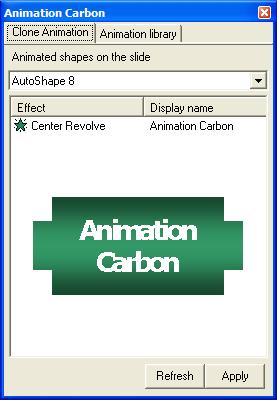
from one shape to another is a cinch. The Clone animation tab displays a
list of animated shapes present on the current slide. Animation Carbon
preview window displays the source shape so you know exactly where the
animation is being picked up from.
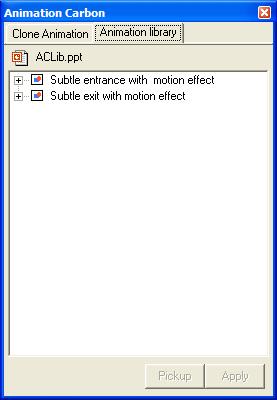
The animation library tab displays the animation schemes available in the current loaded library. Each category contains animations schemes. A scheme represents single/multiple animations applied to a shape. You can load/create a new library by right-clicking on the Animation library tab and selecting the appropriate option. You can share libraries with co-workers to streamline and increase productivity across the organization. Read Indezine review of Animation Carbon here. |

Copyright © Shyam Pillai. All rights reserved.
|
|